Contents
Environment Avoidance
MegaBoids provides two types of environment avoidance techniques: static and runtime. They both serve the same purpose, steering the boid away from environmental obstacles. However they differ considerably in their implementation and performance and are therefore used for different purposes. The nomenclature of static vs. runtime relates to the evaluation method: static avoidance uses a baked Signed Distance Field approach whereas boids evaluate their distance to runtime obstacles during the simulation.
Static avoidance
Signed Distance Fields (SDF for short) are voxel grids or “3D textures” that store the distance to their closest surface for each voxel. Using this data, we can know if we are within avoidance distance from an obstacle as well as the direction we need to steer towards to avoid the surface. Because all the distances are baked, this avoidance method scales very well for large numbers of obstacles, for complex geometry and for large environments since the runtime cost of evaluating obstacles remains constant. As usual though, it also comes with downsides. The first one is that all boids will use the same avoidance data. The second one is that it comes at the cost of higher memory usage; SDFs can grow very large when improperly used.
To tweak them properly for your use-case and scene, MegaBoids provide the following properties:
| Property | Description |
|---|---|
| SDF Sources | Sources used to bake the Signed Distance Fields for this spawner. See below for the available sources and their properties. |
| Interpolation Mode | Interpolation method to evaluate the distance to the closest obstacle at runtime. Nearest Neighbor: Use the closest voxel value without interpolation. This can make your boids jittery as it crosses voxel borders especially if you have no momentum in your movement model. Trilinear: Trilinear interpolation. Requires more samples and computations than Nearest Neighbor so it is slower but more precise and smoother. It also helps keep memory usage under control as it does not require as dense of a grid to achieve similar results. |
| Probe Distance | Distance that separates each SDF “probe” from the other probes. This defines the size of your voxels and has a large impact on memory usage and avoidance precision. |
SDF Avoidance Sources
Because SDFs can be generated at design time and are baked within the spawner, we can support multiple different obstacle sources. These sources are additive so they will all be evaluated when baking the SDF and the closest distance to any of them will be stored in the voxel grid.
| Source | Description | |
|---|---|---|
| Obstacle Primitives | List of primitive shapes that serve as obstacles. Each primitive can constrain boids inside it’s volume or outwards to avoid the obstacle. | 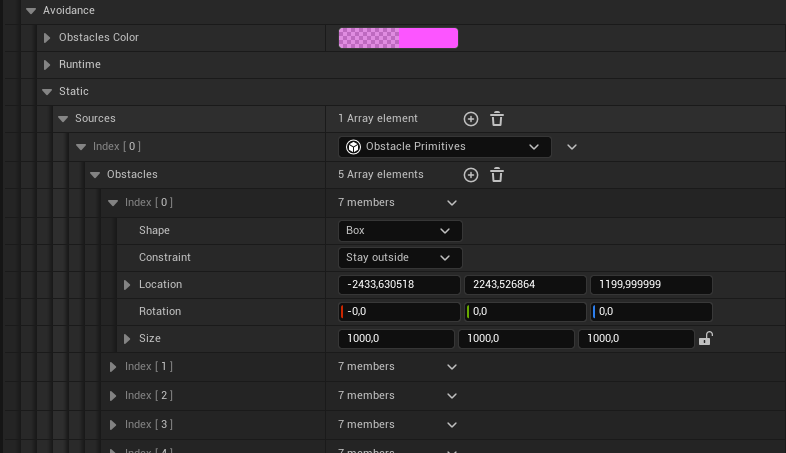 |
| Static Geometry | Use the static geometry within the spawner bounds as collision for avoidance. Properties Ignored Actors: Actors in scene to exclude from geometry source. Ignored Meshes: Static meshes assets to exclude from geometry source. Ignored Mesh Classes: Static meshes class types to exclude from geometry source. | 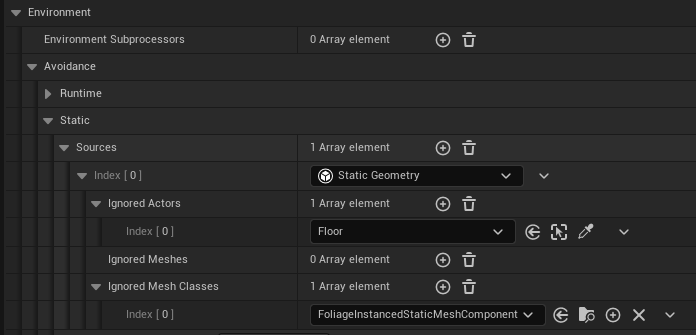 |
| Static Physics Collision | Using the provided channel, avoid collisions with static actors within the spawner bounds. Properties Collision Channel: Channel name on which to do the collision tests. Use Complex: Use complex geometry instead of simple?. Ignored Actors: Specific actors from the scene to exclude from collision test. | 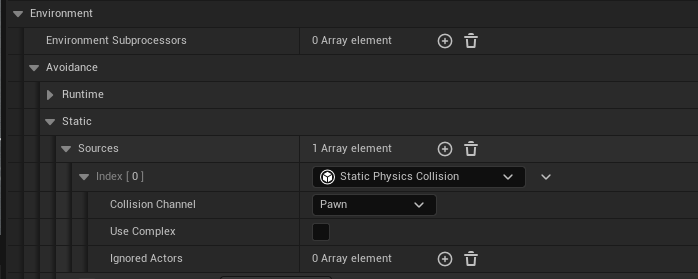 |
| NavMesh Tunnel | Use the navigation mesh and treat it as a ‘tunnel’ of given height. Properties NavMesh Agent Type: Agent type used to find the nav mesh which should define avoidance boundaries. Wall Height: Height of the wall from the nav mesh edge. Can be over or below the navmesh, or both, but the interval must include the edge (value 0 must be within range). Helps better handle multi-level nav meshes. | 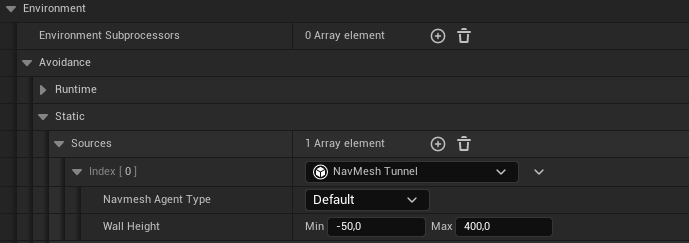 |
You can implement your own SDF avoidance sources by subclassing
UMegaBoidsStaticAvoidanceSource. See the Blueprint API documentation for more information.
Commandlet (World Partition Builder)
Because your environment will constantly change during development, and keeping track of all the spawner SDFs can prove challenging, we highly recommend using the provided commandlet to regenerate your SDFs during your build process. The commandlet is based on the World Partition Builder commandlet and it will look in your entire world to find and regenerate all the spawners that use a static avoidance SDF. You can use the builder in the same manner as all other builders, by running the following command :
UnrealEditor.exe "MyProject.uproject" "/Game/Maps/OpenWorldTest" -Unattended -run=WorldPartitionBuilderCommandlet -AllowCommandletRendering -Builder=MegaBoidsSpawnerSDFBuilder
The (official Epic Unreal documentation)[https://dev.epicgames.com/documentation/unreal-engine/world-partition-builder-commandlet-reference] provides more information on the process.
Runtime avoidance
Runtime obstacles are limited to basic primitive shapes. While this might appear redundant because basic primitives can also be used as a source for static obstacles, runtime obstacles allows different options. First, since the SDF is baked at design time, we cannot use moving obstacles within an SDF as we would need to rebuild the SDF continuously, greatly reducing performance.
Another feature that comes from dynamic evaluation is per-boid behavior. Since the runtime obstacles are evaluated during play, we have more information for each obstacle that allow the user to change the steering response per entity. Specifically, at the moment, this means we can have some osbtacles only affect certain boids depending on their configuration, similar to the spawner driving subprocessors.
| Property | Description | |
|---|---|---|
| Obstacles | List of primitive shapes that serve as obstacles. Each obstacle can be turned on or off per boid configuration using the configuration selector. | 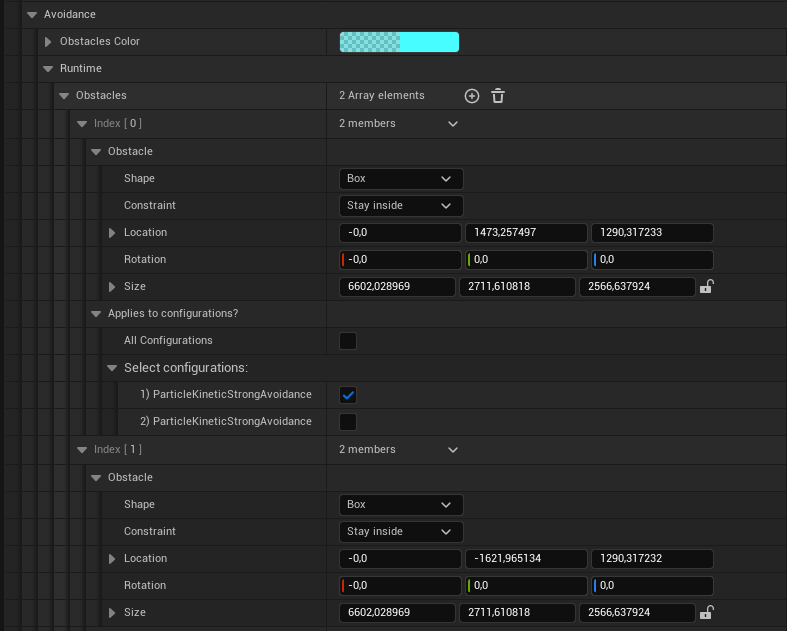 |
Dynamic/Moving obstacles are currently supported by accessing the
FMegaBoidsDynamicObstaclesSharedFragmentshared fragment and modifying the obstacle transforms directly. This is somewhat inconvenient and a better approach would be to have dynamic obstacles being entities themselves. This will be evaluated in a future release.
Obstacles
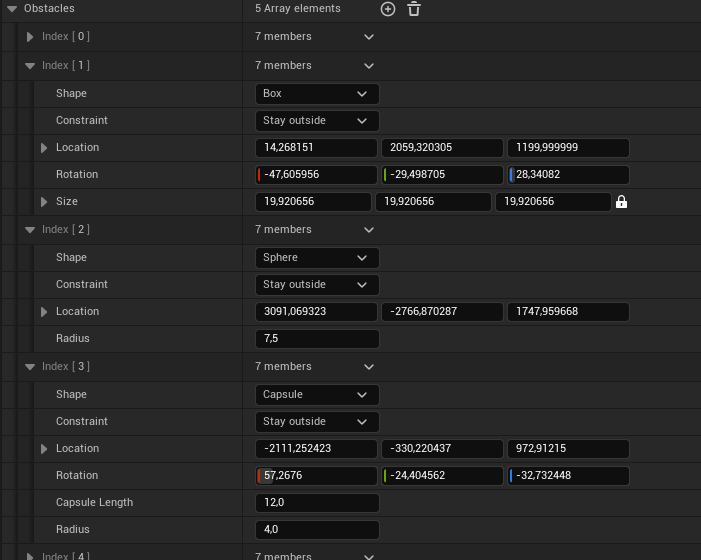
MegaBoids uses a shared obstacle structure for both static and dynamic avoidance. This structure defines a basic primitive shape that should be either avoided or that should contain our boids.
| Property | Description |
|---|---|
| Shape | Primitive shape of the obstacle. Either box, sphere or capsule. |
| Constraint | How should the obstacle contrain the boids movement? Should they push away boids or keep them inside? |
| Location | World space location of the obstacle. |
| Rotation | [Box and Capsule Only] World space rotation of the obstacle. |
| Size | [Box Only] Size for each axis of the box. |
| Capsule Length | [Capsule Only] Length of the central cylinder of the capsule. |
| Radius | [Capsule and Sphere Only] Radius of the sphere, or of the cylinder and half spheres for a capsule. |
Editor helper options
Other options within the avoidance properties are tools to help with development.
| Property | Description |
|---|---|
| Obstacles color | Color to render the obstacle shapes in the editor viewport. |
| SDF Auto Refresh | [Static Avoidance Only] Option to automatically regenerate the SDF when data changes, or a button to do it manually. Enabling this option will automatically refresh the SDF when the relevant properties are modified. Note that modifying the environment will not be picked up and requires manually regenerating the SDF. To prevent out-of-date SDFs, use the commandlet in your build process. |
| Draw SDF Gradient | [Static Avoidance Only] Toggle to degug render the SDF gradients in the editor viewport. |